A new website with one command: pnpm create tinyzoo
The command asks about languages, parts of the website and demo content. A few minutes later you have a website with its admin area, ready to run.
Choose the website’s languages (the first one is the default), the parts it needs (news, a contact form, redirects, search) and whether you want demo content. Whatever you leave out is not in the project at all.
This is how the command looks when it runs:
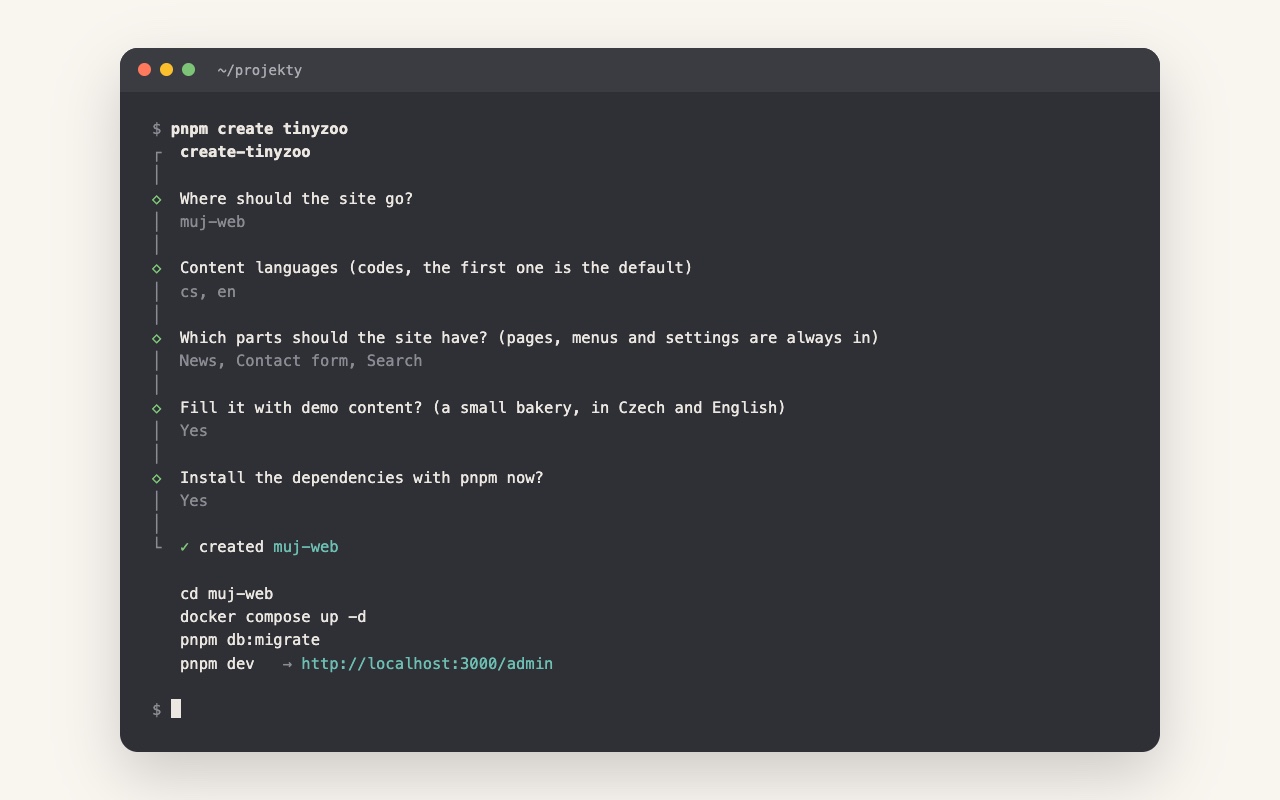
Every question has an option too, so the command also runs without asking: pnpm create tinyzoo my-site --languages en,de --presets news,search --no-demo --yes.
Each new project also has an AGENTS.md file. It is a short guide for the assistant you code with: where the content model is, how to change it and what not to touch.
The Getting started guide in the docs walks you through it step by step.